Business Workflow Design
Companies do not lack tools; they lack workflows that actually run. We turn diagnosed business pain points into implementable service workflows: capture implicit experience as standard SOPs, package SOPs as reusable AI skills and automate cross-system data movement, approvals and reporting. Standard actions can then be executed consistently by AI, helping new employees perform at an experienced level.
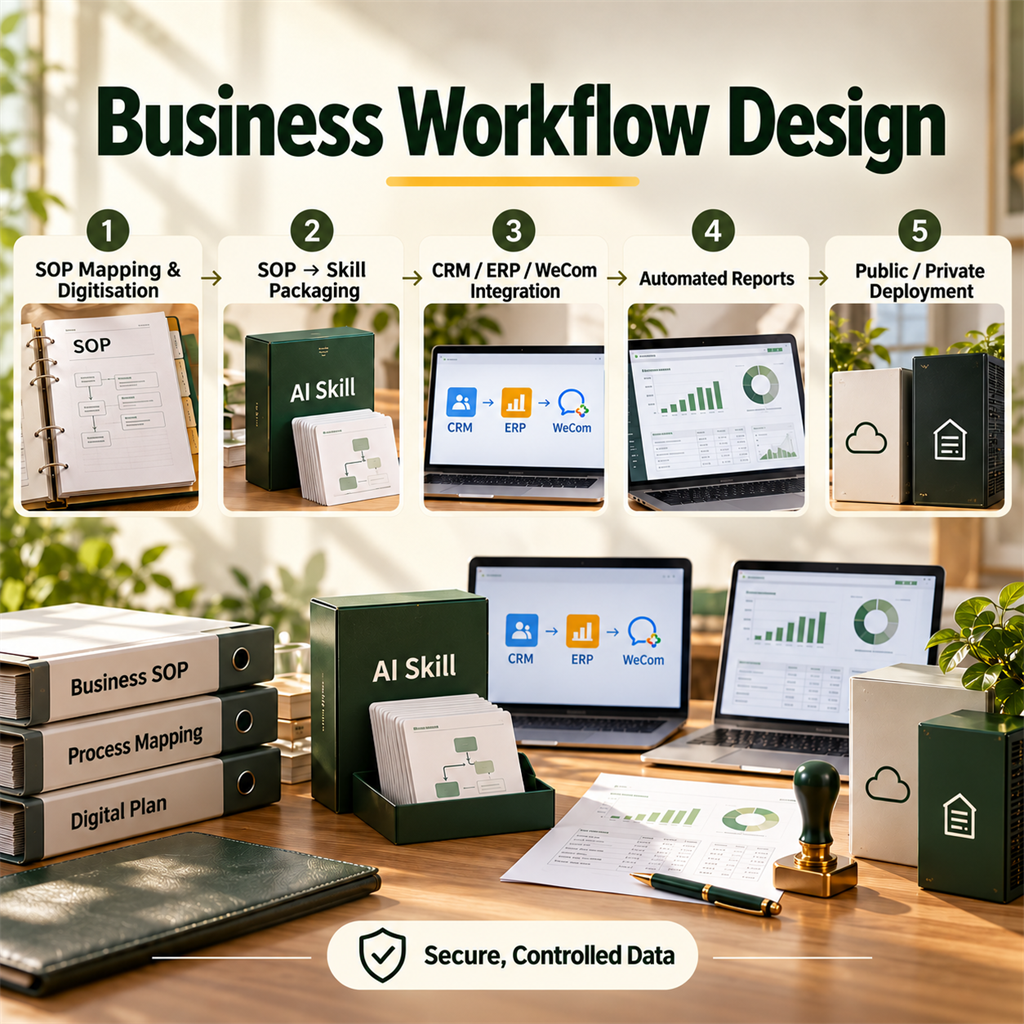
What Is Business Workflow Design?
Business workflow design, or enterprise process automation, turns business actions that depend on individual memory, verbal handover and repeated manual operation into explicit processes and standard operating procedures (SOPs), and then digitises them: some are captured as reusable AI skills, while others use interfaces and automation orchestration to connect CRM, ERP, WeCom, approvals, reporting and other systems so standard actions can be executed consistently, at scale and with traceability. The goal is not to replace people, but to move their time from repetitive operation to judgement and decision-making.
Why This Deserves Serious Attention
For most companies, the problem is not that no process exists; it is that the process exists only in experienced employees' heads. When they are present, the process works; when they leave, it disappears. This implicit knowledge cannot be trained, audited or scaled, and execution changes every time.
Workflow design solves that conversion: first make implicit experience explicit by writing it down, then structure it as executable steps, and finally automate it through AI and systems. The order cannot be reversed. Skipping the first two steps and starting with a tool produces an automation script that nobody uses.
4 Common Business Bottlenecks
Experience is locked in individuals
Only a few people know how to perform critical business actions, so the operation stalls when they leave or take time off. Recruitment and training costs remain chronically underestimated.
The same mistakes recur
Without a standard, everyone works according to their own interpretation. When something goes wrong, it is impossible to tell whether the process or the execution caused it.
Systems do not connect
CRM, ERP, inventory systems and WeCom each hold a copy of the data, and part of an employee's daily work is copying numbers from system A to system B.
Reports are assembled manually
The same summary reports are rebuilt every week and month, consuming large amounts of key employees' time and introducing transcription errors.
What We Deliver
Business-process diagnosis and mapping
Interview key roles, draw the current-state process, identify breaks, redundant steps and manual transcription points, and deliver an optimised target workflow and priority list.
SOP documentation and standardisation
Turn implicit experience into an executable standard operating procedure covering inputs, actions, decision conditions, outputs and exception handling. Define the owner and quality standard for each step at the same time.
SOP-to-AI-Skill conversion
Package a stable SOP as a reusable AI skill that can be called across the network, every store or every department. Headquarters captures it once; frontline teams use it directly.
Cross-system integration and automation
Connect data movement among CRM, ERP, WeCom, approvals and reporting so data synchronises automatically, reports are generated automatically and approvals flow automatically.
Deployment and security design
Choose public-cloud or private deployment according to data sensitivity. For scenarios involving client information, financial data or core business logic, provide a private-deployment approach and permission-control design.
Deliverables
- Current-state process map and issue list
- Optimised target-workflow document
- Standard operating procedure (SOP) manual
- Packaged AI skills and invocation guide
- Systems-integration plan and interface inventory
- Operating-monitoring and exception-handling mechanism for automated workflows
Implementation Process
- 01
Diagnose
Use interviews and on-site observation to find the real bottleneck. The pain point described by the business team is often not the true constraint.
- 02
Design
Draw the target workflow, define which steps should be standardised, which stay with people and which go to AI, and assess the return on investment.
- 03
Capture
Write the SOP together with frontline staff and validate it through practical execution, ensuring that the documented process is what can actually be done, not an idealised version.
- 04
Automate
Package stable SOPs as skills, connect systems for data movement and report automation, pilot on a small scale and then expand.
- 05
Embed operations
Establish process-change governance and outcome measurement so the workflow is not bypassed six months after launch.
Who It Fits
Good fit
- Organisations with many stores or branches that need headquarters to capture a method once and frontline teams to reuse it
- Companies whose critical roles depend heavily on a few individuals and face staff-turnover risk
- Teams spending substantial time copying across systems and assembling reports manually
- Businesses with a proven model that now need higher efficiency rather than a different business model
Not recommended
- Early-stage projects whose workflow is not yet proven and whose business model still changes frequently; do not standardise too soon
- Organisations that simply want an OA or ERP system; that is software procurement, not workflow design
- Organisations expecting automation to remove an entire role without redesigning the role; when the process changes, responsibilities must change with it
Approach Comparison
| Path | What it does | Suitable stage | Common reason for failure |
|---|---|---|---|
| Document-based (SOP manual) | Writes the process into a file and relies on people to follow it | The process is newly formed and the team needs a shared understanding | Nobody reads it after it is written, and execution still follows habit |
| System-based (OA / ERP) | Uses a system to enforce process steps and approvals | The process is stable and needs compliant records | Implementing a system before clarifying the process simply hard-codes the confusion |
| Skills + automation | Packages SOPs as AI skills and moves work across systems automatically | The process is stable and needs greater efficiency and scale | Skipping SOP analysis and automating immediately produces a script nobody uses |
How three workflow-digitisation paths differ
Frequently Asked Questions
What does business workflow design actually do?
It turns a company's business actions from work that depends on individual memory into processes that are reusable, executable and auditable. It generally has three steps: capture implicit experience as standard operating procedures; package stable SOPs as reusable AI skills; and connect CRM, ERP, approvals, reporting and other systems so data moves and reports are generated automatically. The ultimate goal is to move people's time from repetitive operation to judgement and decision-making.
What does 'SOP to Skill' mean?
An SOP is a process document written for people; a Skill packages a capability for AI to execute. Converting an SOP into a Skill allows AI to perform actions according to that process standard. Headquarters captures the process once, and every store or department can reuse it without every employee memorising the procedure. It addresses the problem of documented processes drifting during execution.
How long does workflow design usually take?
It depends on scope and complexity. Diagnosis through automation launch for one core process, such as order handling or client follow-up, usually takes 2 to 4 weeks. An organisation-wide redesign involving several departments and systems is normally phased: the first phase proves 1 to 2 high-value workflows before expansion. We do not recommend starting with an all-encompassing company-wide redesign.
How is data security protected, and is private deployment available?
Yes. We first classify data by sensitivity. Scenarios involving client information, financial data or core business logic receive priority for private deployment, while ordinary workplace-collaboration scenarios can use public cloud. A private plan includes permission control, access auditing and boundaries that keep data within the required environment. The detailed plan is confirmed with your IT or security lead during design.
How much participation is required from the business team?
Deep frontline participation is essential and cannot be skipped, because the process being documented must reflect what people actually do, not what we imagine. We normally conduct interviews with key roles, on-site observation and practical SOP validation. If the business team cannot commit any time, the project will fail; we state this prerequisite in advance.
What happens to the original roles after workflow automation?
In most cases the roles are not removed; their responsibilities move upward from executing the process to handling exceptions, making decisions and improving the workflow. This is why we diagnose the process before automating it. Automation should release time for higher-value work, not simply remove people from a process. We also provide recommendations for adjusting role responsibilities during implementation.
First find the workflow that is really holding you back
Tell us which business activity consumes the most time, and we will provide a free workflow diagnosis with automatable steps and priorities.
Related Cases
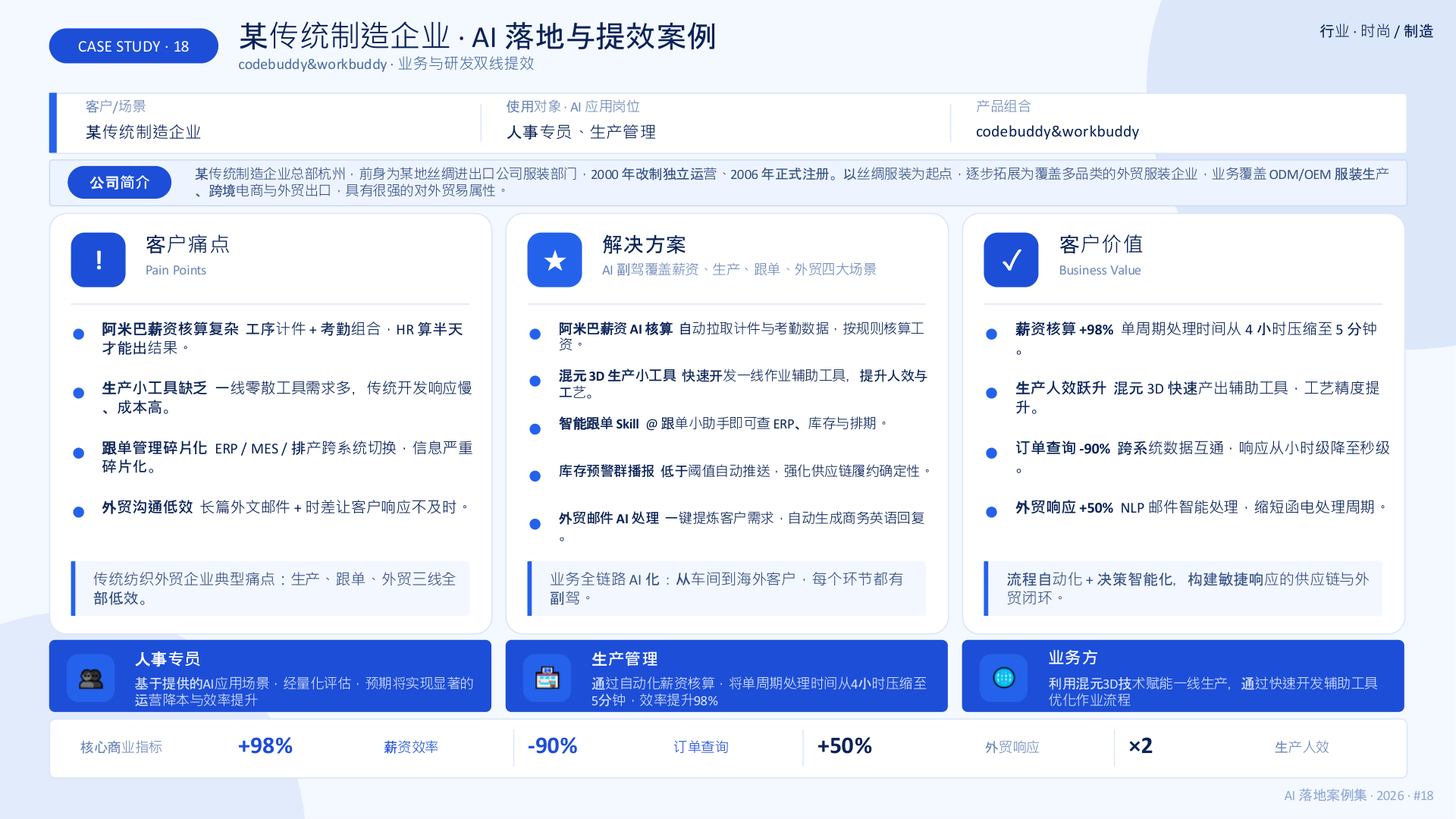
Traditional Manufacturer · End-to-End AI Enablement
Company-wide WorkBuddy deployment and scenario-based practical training improved efficiency across high-frequency business workflows.
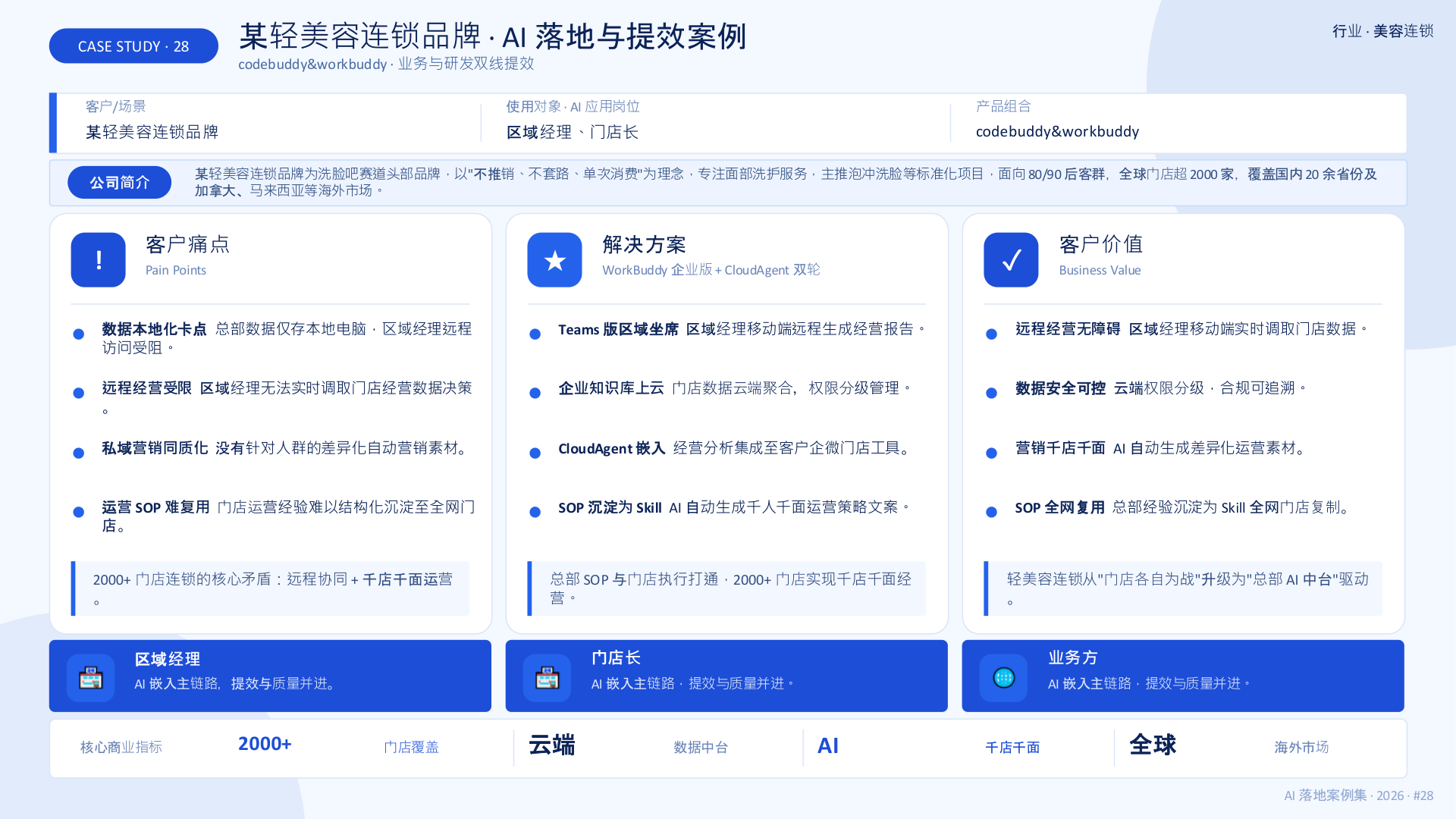
Light-Aesthetics Chain · Individualized Operations Across 2,000+ Stores
Head-office SOPs became reusable Skills for every store, regional managers gained real-time mobile operating reports, and AI automatically generated differentiated marketing materials.
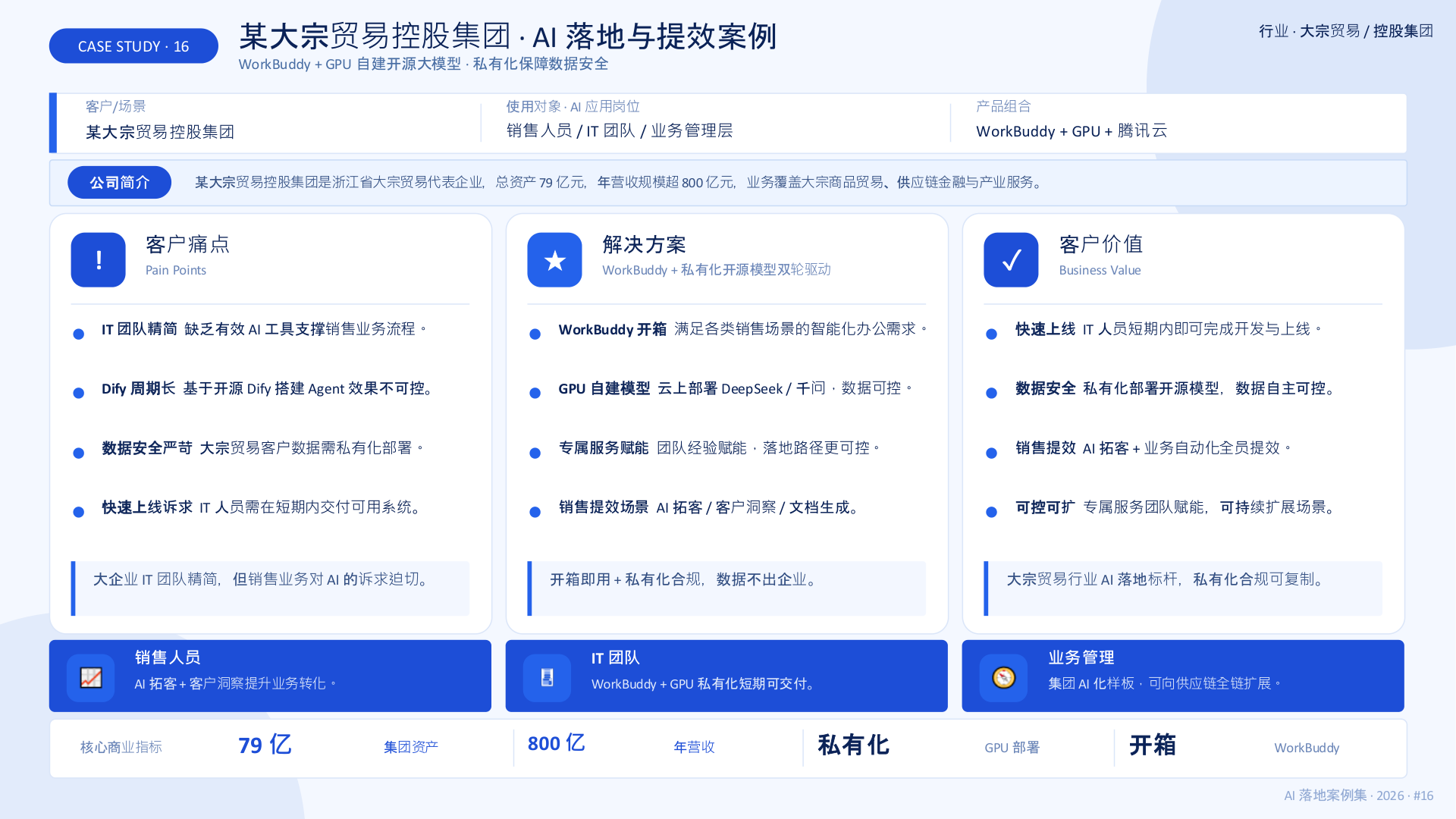
Bulk-Trading Group · AI Benchmark for an RMB 80 Billion Business
Ready-to-use WorkBuddy plus a privately deployed open-source LLM on self-hosted GPUs created a group-level AI benchmark that kept data inside the enterprise.
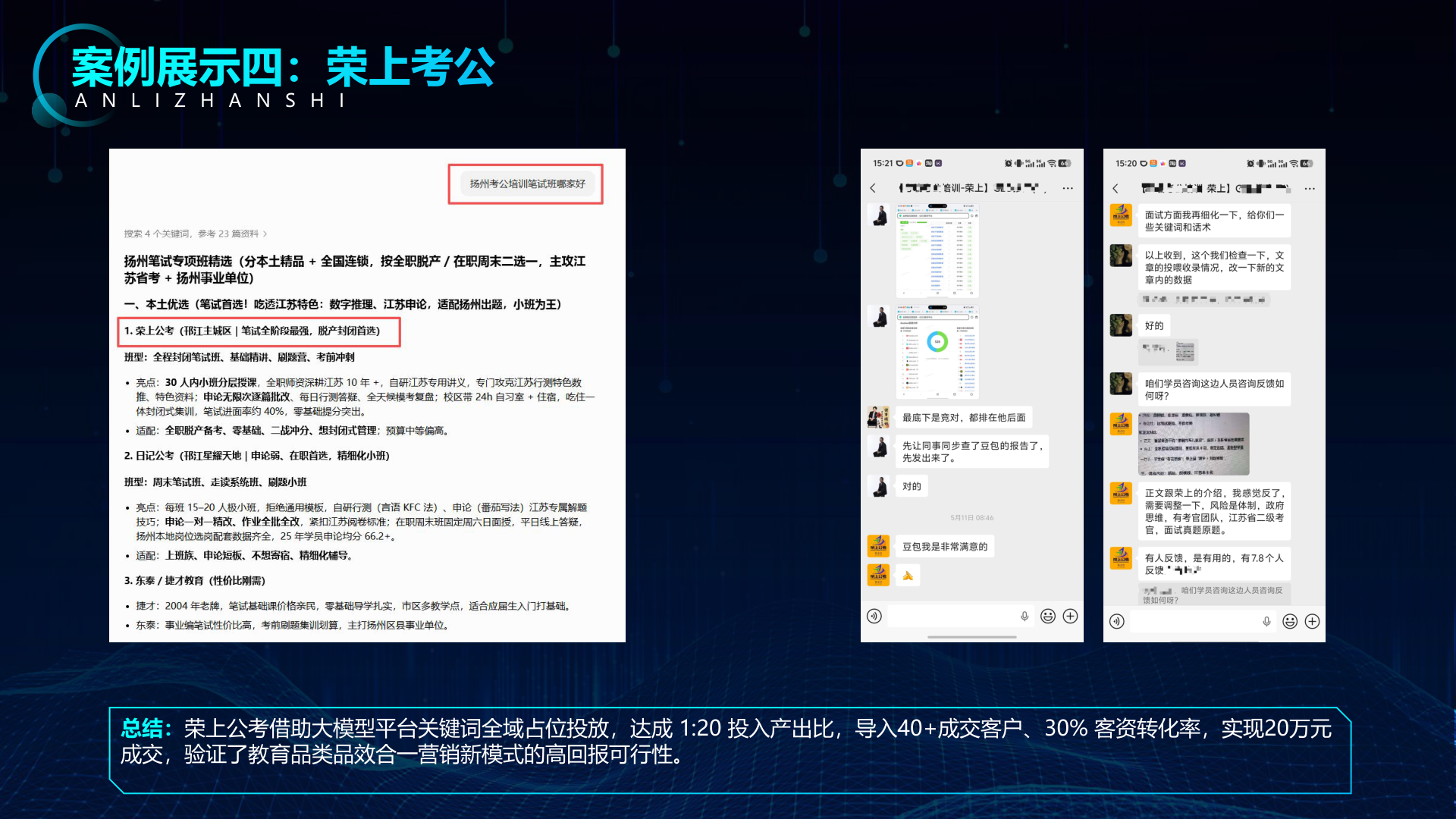
Rongshang Civil Service Exam Training · Full-Spectrum LLM Keyword Coverage
Full-spectrum GEO keyword placement secured traffic entry points across LLM platforms and traditional search, attracting high-intent local leads.